Free Special Education Lesson Planner for IEP Goals
Paste a student's IEP goals and accommodations to draft a lesson with objectives, materials, supports, and progress checks. Review and adapt it before use.
Sign up with email or Google · No credit card required · One full plan per month free

Free Special Education Tools
Powerful tools built specifically for SPED teachers. Use them without signup.
IEP Goal to Lesson Plan
Paste a student goal and preview the objective, accommodations, lesson flow, and progress check.
IEP Goal Generator
Draft measurable IEP goals to review against your student's needs.
IEP Goal Bank
Browse draft IEP goal examples by area and grade. Individualize and review them with the IEP team.
Reading Level Calculator
Quickly assess reading levels with multiple readability formulas.
Behavior Tracking Template
Create customizable behavior tracking sheets for data collection.
Accommodations Checklist
Comprehensive checklist of accommodations organized by disability category.
IEP Progress Monitoring
Track and visualize student progress toward IEP goals over time.
Transition Planning Checklist
Step-by-step transition planning guide for students ages 14+.
Social Story Creator
Build personalized social stories to teach social skills and expectations.
SPED Acronyms Glossary
Searchable glossary of special education acronyms and terminology.
Behavior Intervention Plan
Generate comprehensive BIPs with replacement behaviors and strategies.
Sensory Diet Planner
Create individualized sensory diet activity plans for sensory needs.
Lesson Plan Timer
Visual timer for pacing lesson plan activities and transitions.
Dyslexia Screening Quiz
Quick screening quiz to identify potential signs of dyslexia in children and adults.
IEP Meeting Prep Pack
Use the printable pack to organize parent input, present levels, services, accommodations, progress notes, and follow-up.
Special Education Teachers Deserve Better Tools
Lesson planning involves individual goals, accommodations and classroom context. Use the actual IEP and your knowledge of the student to guide each lesson.
Adapt lesson drafts around their specific goals, their accommodations, their learning profiles.
SPED Lesson Planner provides a starting draft from the goals you enter. Review its accuracy and suitability before use.
What you get:
- Suggested objectives to review against each IEP goal
- Suggested accommodations and modifications to review
- Activity variations to review and adapt
- Suggested data-collection notes for teacher review
- Separate printable tools to configure manually
- Editable templates you can customize
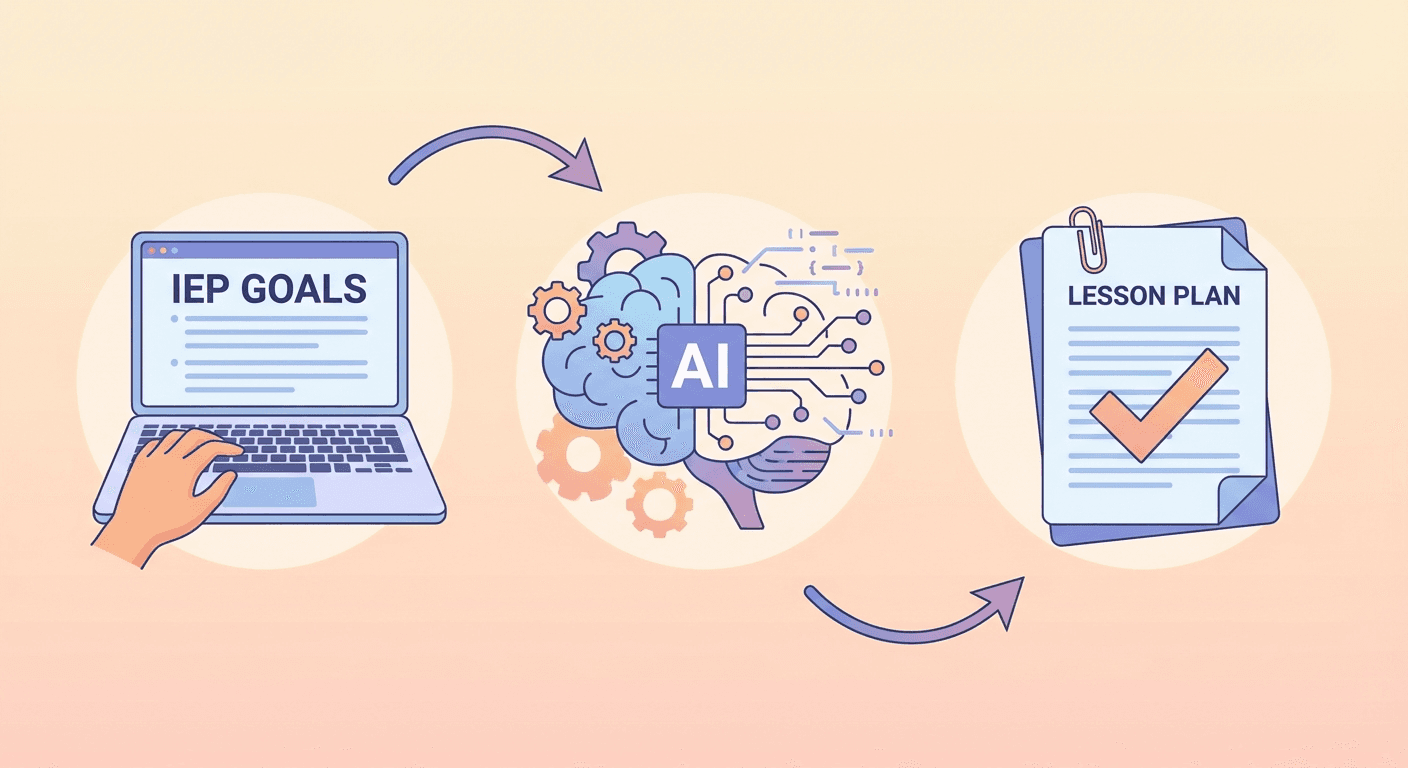
From IEP Goals to Lesson Plan in 3 Steps
No complicated setup. No learning curve. Just enter your student's information and let our AI do the heavy lifting.
Enter IEP Goals
Paste or type your student's IEP goals and select their accommodations from our comprehensive checklist.
Choose Subject & Grade
Select the subject area, grade level, and any specific topics you want the lesson to cover.
Generate & Customize
Review and adapt the suggested lesson objectives, activities and supports against the actual IEP before downloading, printing or using the draft.
Built for the Realities of Special Education
Tools for special education planning, from IEP goal input to activities and progress checks.
Suggested Lesson Objectives
Draft suggested objectives from the IEP goals you enter. Review and adapt them against each goal and the student's needs before use.
Accommodation Builder
Uses the accommodations you enter to suggest activities and supports. Review their suitability for the individual student.
IEP Planning Support
Draft objectives, accommodations and progress checks from the goals you enter. Review each plan against the actual IEP and student needs before use.
Data Collection Notes
Lesson drafts include suggested data-collection notes for teacher review. Printable tools are separate and must be configured manually.
Differentiated Materials
Suggests activity variations from the needs you enter. Review and adapt their complexity and accessibility for each student.
Saved Lesson Drafts
Revisit saved lesson drafts and edit their generated sections. The original student information and IEP inputs remain unchanged.
Frequently Asked Questions
Everything you need to know about SPED Lesson Planner
Q:What is a special education lesson planner?
A special education lesson planner helps organize IEP goals, accommodations, and progress-monitoring needs into lesson drafts for teacher review. SPED Lesson Planner lets teachers paste an IEP goal and draft objectives, materials, supports, and measurable checks for professional review.
Q:Is SPED Lesson Planner free special education lesson planning software?
Yes. The signed-in planner includes one full AI-generated lesson plan per month on the Free plan. Free tools and previews are available without an account. Pro offers unlimited monthly lesson generation for $10/month or $96/year.
Q:How does the AI understand my student's specific needs?
The planner sends the goals, accommodations and lesson details you enter to an AI service to draft objectives, activities and progress checks. Review the suggestions for accuracy and fit before using them with a student.
Q:Are the lesson plans legally compliant with IDEA?
AI-generated lesson plans are drafts, not a guarantee of IDEA compliance. Review and adapt each plan against the actual IEP, student needs, district guidance and applicable requirements before using it. The planner uses your entered goals and accommodations to suggest objectives, activities and progress checks; it does not replace professional judgment.
Q:Can I use this for students with different disability categories?
The form includes all 13 IDEA disability categories. Enter the individual student's goals and accommodations, then review the draft for their specific needs. A category selection alone does not establish whether an activity or support is appropriate.
Q:How much time will this actually save me?
The planner can provide a starting draft instead of a blank page. Generation and review time vary with the request and the changes you need. We have not established an average time saving.
Q:Can I edit the generated lesson plans?
You can edit the generated lesson sections, such as objectives, materials, activities and assessment. The plan title and original inputs are not editable in the lesson view. Review and adapt the suggested content before use.
Q:Is my student data secure?
We take FERPA compliance seriously, and we ask you to do the same: use student initials or codes rather than full names, and keep identifying details out of the IEP goal text you paste. We send entered goals, accommodations, and related instructions to OpenAI to generate drafts. Our API requests tell OpenAI not to store response objects for later retrieval. OpenAI may still process and retain API data under its applicable policies. What you enter is saved to your account so you can revisit and edit your plans, and all data transmission is encrypted. Other users cannot see your lesson plans, though our staff can access stored data when needed to operate and support the service.
Draft From Your IEP Goals,
Review Before Teaching
Start with one full lesson plan per month on the Free plan. Explore free tools and previews without an account.
Sign up with email or Google · No credit card required · One full plan per month free